



Best iPhone Scanner App
Discover how modern iPhone scanner apps can transform your smartphone into a powerful 3D scanning tool. Learn how to scan objects and rooms, export STL and OBJ files for 3D printing, and use LiDAR technology for high-quality 3D models. An iPhone Scanner App is perfect for CAD, AR/VR, game development, and 3D printing workflows.
IPHONE 3D SCANNER
Sebastian Kemper
5/28/20263 min read
Best iPhone Scanner App for 3D Scanning and 3D Printing
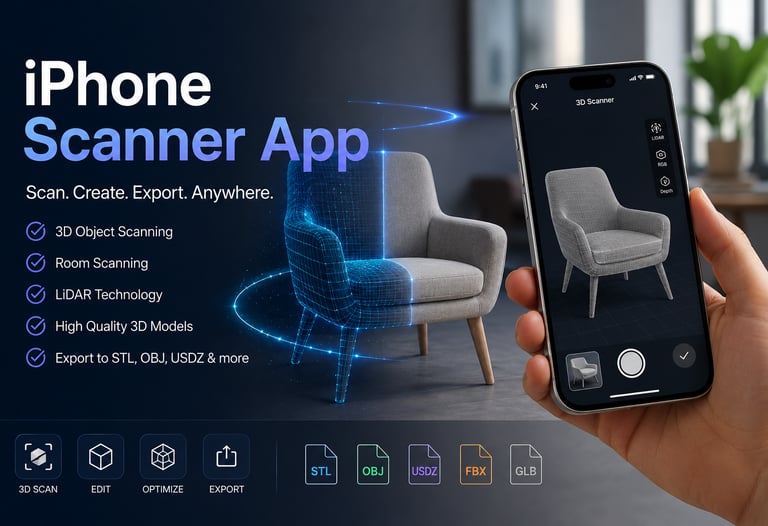
If you are looking for the best iPhone scanner app to create 3D models, scan rooms, or prepare objects for 3D printing, modern iPhones are now powerful enough to do surprisingly accurate 3D scanning directly from your pocket.
Thanks to LiDAR technology and advanced photogrammetry, an iPhone can now scan objects, rooms, furniture, and even entire environments in 3D. Many creators, engineers, designers, and hobbyists use iPhone scanning apps for CAD workflows, game development, architecture, AR/VR, and 3D printing. Apple’s Object Capture technology and modern LiDAR-enabled devices have significantly improved mobile 3D scanning quality in recent years.
If you want to try a modern iPhone scanner app for creating 3D models and room scans, you can explore our dedicated 3D scanning solution here:
https://cad-floor-plan.com/3d-scanner
What Is an iPhone Scanner App?
An iPhone scanner app uses your camera and depth sensors to create digital 3D models from real-world objects or spaces.
Depending on the app and the device, scanning works through:
LiDAR scanning
Photogrammetry
Depth sensing
AI-assisted reconstruction
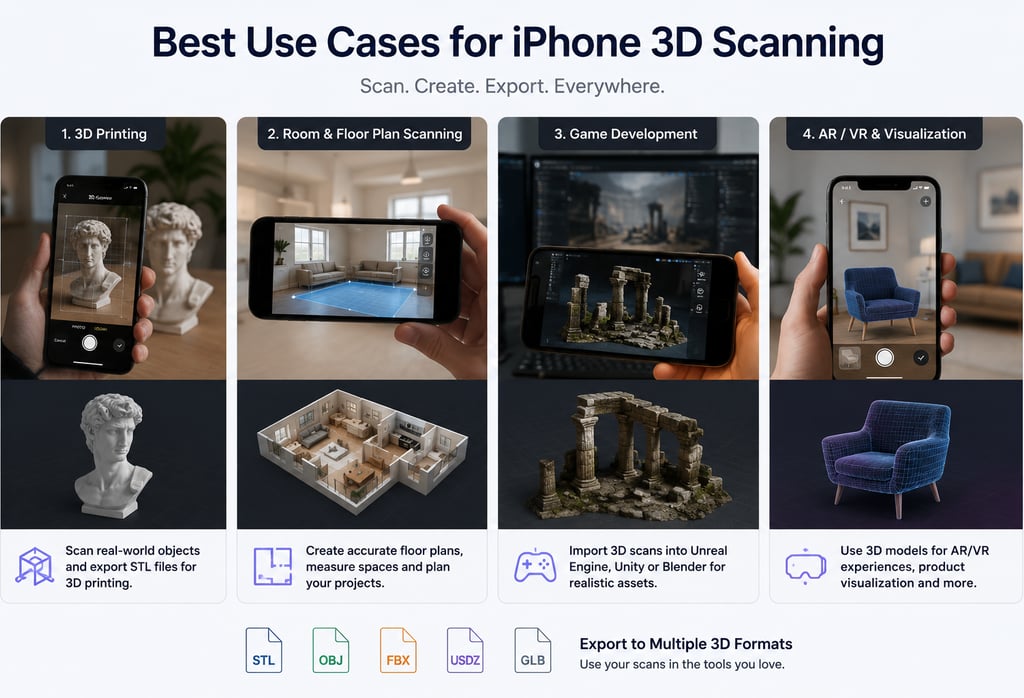
Modern scanning apps can export formats like:
STL
OBJ
FBX
GLB
USDZ
These file formats are commonly used in:
3D printing
CAD software
Unreal Engine
Unity
Blender
AR applications
Many professional apps now support direct export to OBJ, FBX, STL, and other 3D formats.
Why Use an iPhone for 3D Scanning?
Using an iPhone as a 3D scanner has several advantages:
Portable and always available
Much cheaper than professional 3D scanners
Fast scanning process
Great for beginners and professionals
Ideal for 3D printing and visualization
Works well for room scanning and floor plans
Newer iPhones with LiDAR sensors can create highly detailed scans in just a few minutes.
Best Use Cases for iPhone 3D Scanning
1. 3D Printing
You can scan real-world objects and export them as STL files for 3D printing.
Examples:
Figurines
Mechanical parts
Decorative objects
Replacement parts
2. Room and Floor Plan Scanning
Many people use iPhone scanner apps to:
scan rooms
create floor plans
measure spaces
plan furniture layouts
Apps like Magicplan have popularized AR-based room scanning workflows.
3. Game Development
3D scans can be imported into:
Unreal Engine
Unity
Blender
This allows developers to create realistic assets quickly.
4. AR and VR Projects
3D scanning is heavily used in:
augmented reality
virtual reality
spatial computing
digital twins
Recommended iPhone 3D Scanner Solution
If you want to create 3D scans directly on your iPhone and export models for CAD, 3D printing, or visualization workflows, you can try our scanner solution here:
https://cad-floor-plan.com/3d-scanner
The tool is designed for:
object scanning
room scanning
3D model export
CAD workflows
3D printing preparation
Which iPhones Support 3D Scanning?
The best results are usually achieved with:
iPhone 12 Pro and newer
iPhone 13 Pro
iPhone 14 Pro
iPhone 15 Pro
iPhone 16 Pro
These devices include LiDAR sensors for improved depth capture and real-time scanning. Apple’s LiDAR technology enables fast mobile scanning workflows directly on iOS devices.
Older iPhones can still perform photogrammetry-based scanning using normal camera photos.
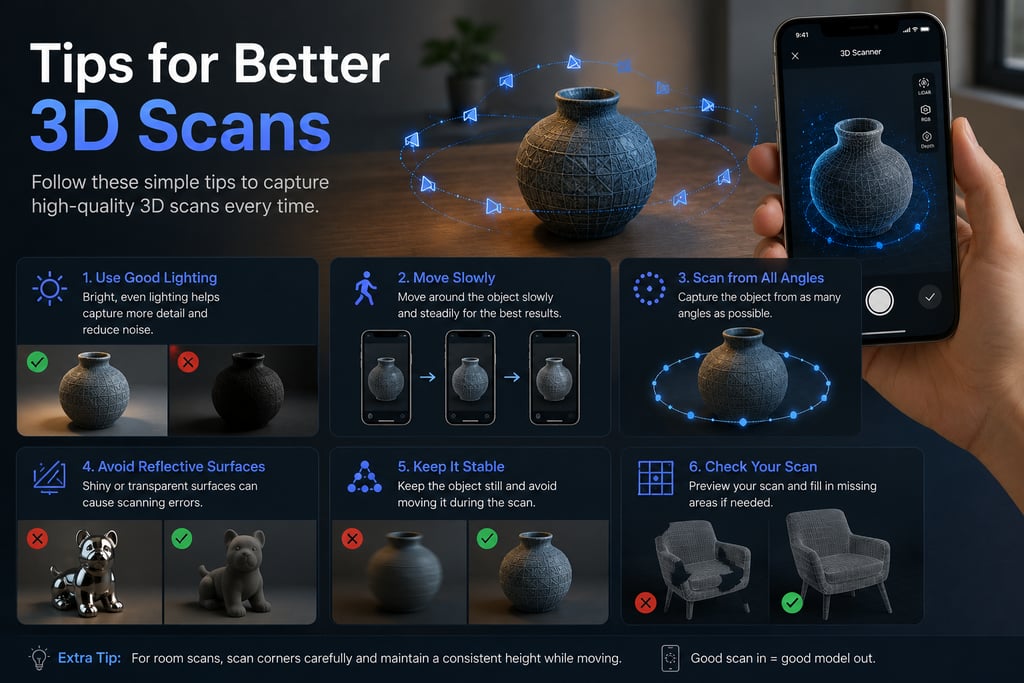
Tips for Better 3D Scans
To improve scan quality:
use good lighting
move slowly around the object
avoid reflective surfaces
scan from multiple angles
keep the object fully visible
avoid motion blur
For room scanning:
scan corners carefully
maintain consistent movement
avoid extremely dark rooms
Final Thoughts
The iPhone has evolved into a surprisingly capable 3D scanning device. Whether you want to create models for 3D printing, CAD design, architecture, AR/VR, or game development, modern iPhone scanner apps make 3D capture accessible to almost everyone.
As Apple continues improving LiDAR and Object Capture technologies, mobile 3D scanning will likely become even more powerful in the coming years.
Ready to create your own 3D scans on iPhone?
Explore our iPhone 3D Scanner solution for object scanning, room capture, CAD workflows, and 3D printing: