




Can the New iPhone Replace a Professional 3D Scanner?
Can the latest iPhone really compete with professional 3D scanners? Discover how modern iPhones with LiDAR technology are transforming mobile 3D scanning for CAD, 3D printing, AR/VR, and game development workflows. Learn where iPhone scanning performs surprisingly well — and where professional scanners still have the advantage.
IPHONE 3D SCANNER
Sebastian Kemper
5/28/20262 min read
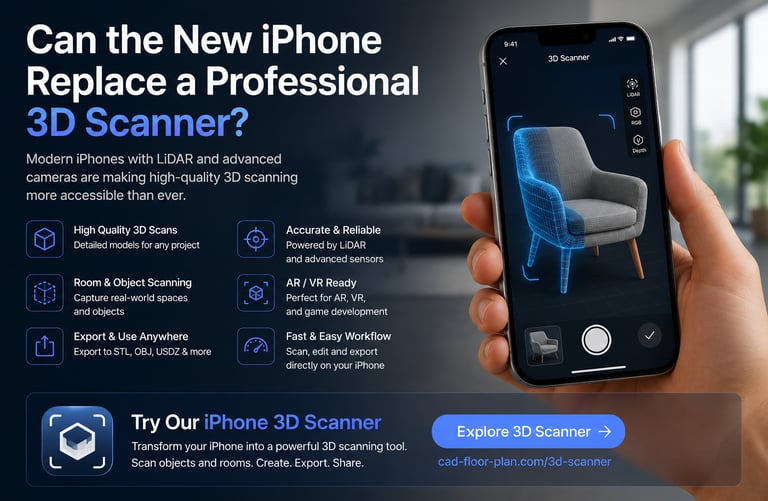
Can the New iPhone Replace a Professional 3D Scanner?
With every new iPhone generation, Apple continues improving camera systems, LiDAR sensors, AI processing, and augmented reality capabilities. This raises an interesting question for creators, engineers, designers, and makers:
Can the new iPhone actually replace a professional 3D scanner?
The answer depends on your workflow, accuracy requirements, and project goals. However, modern iPhones have become surprisingly capable tools for 3D scanning, CAD workflows, room capture, and even 3D printing preparation.
If you want to try mobile 3D scanning directly on iPhone and iPad, you can explore our dedicated 3D Scanner solution here:
https://cad-floor-plan.com/3d-scanner
How iPhone 3D Scanning Has Improved
Over the last few years, Apple has significantly improved:
LiDAR sensors
camera quality
depth sensing
AI processing
ARKit technology
Object Capture workflows
Newer iPhones can now generate highly detailed 3D models directly from a mobile device.
For many everyday workflows, the gap between mobile scanning and professional hardware has become much smaller.
This is especially true for:
room scanning
furniture capture
object scanning
floor plan creation
AR/VR visualization
rapid prototyping
What Is a Professional 3D Scanner?
Professional 3D scanners are specialized devices designed for:
ultra-high precision
industrial scanning
engineering
manufacturing
reverse engineering
quality inspection
These systems often cost:
hundreds
thousands
or even tens of thousands of dollars
Professional scanners usually offer:
sub-millimeter accuracy
industrial-grade calibration
advanced texture capture
laser scanning
structured light scanning
They are commonly used in:
aerospace
automotive
manufacturing
industrial design
engineering
Where the New iPhone Performs Surprisingly Well
Modern iPhone scanning workflows are becoming increasingly practical for creators, designers, and 3D printing enthusiasts. Our iPhone 3D Scanner solution is designed to help users create 3D scans directly on mobile devices for CAD, AR/VR, and 3D printing workflows.
https://cad-floor-plan.com/3d-scanner
1. Room and Interior Scanning
The iPhone performs very well for:
room capture
floor plans
interior visualization
furniture placement
architectural previews
LiDAR-enabled devices can quickly scan rooms and generate surprisingly accurate spatial data.
2. 3D Printing Workflows
For hobbyists and creators, iPhone scanning can work great for:
scanning decorative objects
creating references
rapid prototyping
generating STL models
preparing assets for 3D printing
3. AR and VR Content
Many developers now use iPhone scans for:
Unreal Engine
Unity
AR apps
VR projects
digital twins
The convenience of mobile scanning is a huge advantage.
4. Fast Mobile Workflows
A professional scanner usually requires:
additional hardware
setup time
calibration
dedicated software
An iPhone is always available in your pocket.
This makes mobile scanning ideal for:
quick captures
field work
construction sites
furniture scanning
creative workflows
Where Professional 3D Scanners Still Win
Despite major improvements, professional scanners still dominate in areas requiring:
extreme precision
engineering tolerances
industrial measurements
metrology
complex geometry capture
Professional systems also perform better with:
reflective materials
transparent objects
tiny details
industrial inspection
If you need micron-level accuracy, industrial scanners remain the best solution.
The Biggest Advantage of iPhone Scanning
The biggest advantage is accessibility.
Almost anyone can now:
create 3D scans
export 3D models
build CAD workflows
generate assets for games
prepare files for 3D printing
—all from a smartphone.
This dramatically lowers the entry barrier for 3D creation.
Recommended iPhone 3D Scanner Workflow
If you want to explore mobile 3D scanning for:
object scanning
room scanning
CAD workflows
3D printing
AR/VR projects
you can explore our iPhone 3D Scanner solution here:
https://cad-floor-plan.com/3d-scanner
The solution is designed for creators who want fast and practical mobile scanning workflows directly on iPhone and iPad.
LiDAR Is Changing Mobile Scanning
Apple’s LiDAR technology has transformed what mobile devices can do.
Combined with:
AI processing
photogrammetry
spatial computing
modern GPUs
the iPhone is becoming one of the most accessible 3D scanning tools available today.
Future iPhones will likely continue improving:
scan quality
reconstruction speed
depth accuracy
AI-assisted cleanup
real-time mesh generation
Final Thoughts
Can the new iPhone fully replace a professional 3D scanner?
For industrial engineering and ultra-precise scanning:
probably not yet.
But for:
creators
designers
architects
hobbyists
game developers
3D printing enthusiasts
the modern iPhone is already an incredibly powerful 3D scanning tool.
As Apple continues investing in LiDAR, AR, and spatial computing, mobile 3D scanning will likely become even more capable in the years ahead.