




Timber Construction Planning in 2026: Design Wooden Structures Directly on Your Tablet
Learn how modern CAD software simplifies timber construction planning. Design sheds, pergolas, timber frame houses, and wooden structures directly on your tablet with accurate drawings and material lists.
Simona Kemper
6/20/20263 min read
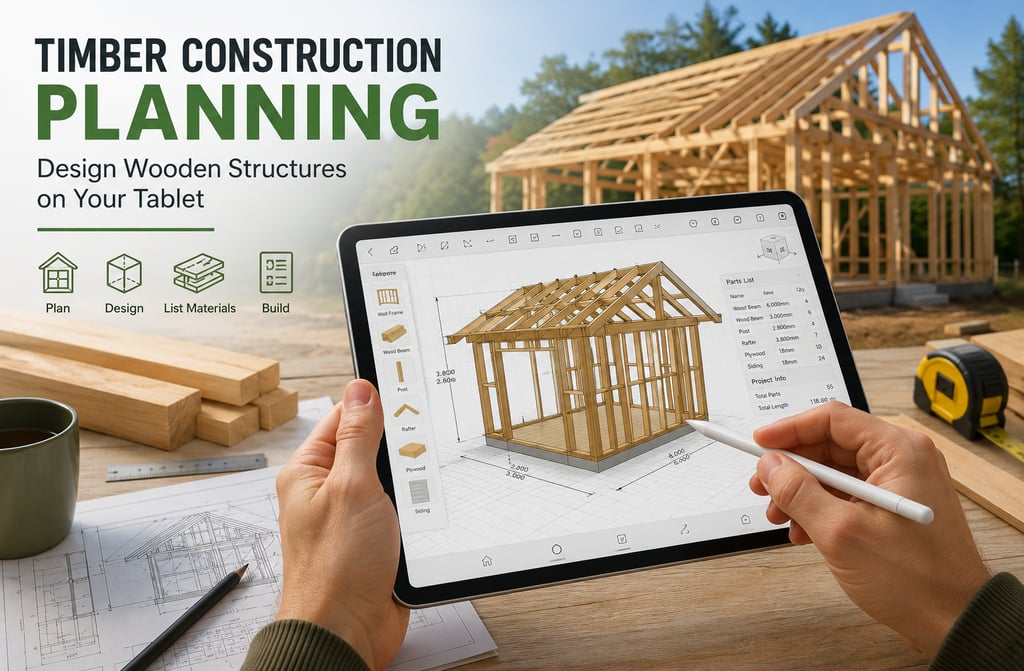
Timber Construction Planning in 2026: Design Wooden Structures Directly on Your Tablet
Wood construction has become one of the fastest-growing sectors in residential, commercial, and DIY building projects. Whether you're planning a garden shed, a timber frame house, a carport, or custom furniture, creating accurate construction drawings is essential.
In the past, timber construction planning often required expensive desktop software and extensive CAD experience. Today, modern mobile CAD applications make it possible to design wooden structures directly on a tablet or smartphone.
Why Digital Timber Construction Planning Matters
Every successful woodworking or timber construction project starts with a detailed plan. Accurate drawings help prevent costly mistakes, reduce material waste, and improve communication between designers, builders, and clients.
Digital planning offers several advantages:
Faster design iterations
Accurate dimensions and measurements
Easy modifications during the planning phase
Better visualization of the final structure
Automatic generation of material and parts lists
For both professionals and hobbyists, mobile CAD tools provide an efficient way to move from concept to construction.
Common Timber Construction Projects
Modern CAD software can be used to design a wide variety of wooden structures, including:
Garden Sheds
Create floor plans, wall layouts, roof structures, and detailed assembly drawings before purchasing materials.
Carports and Pergolas
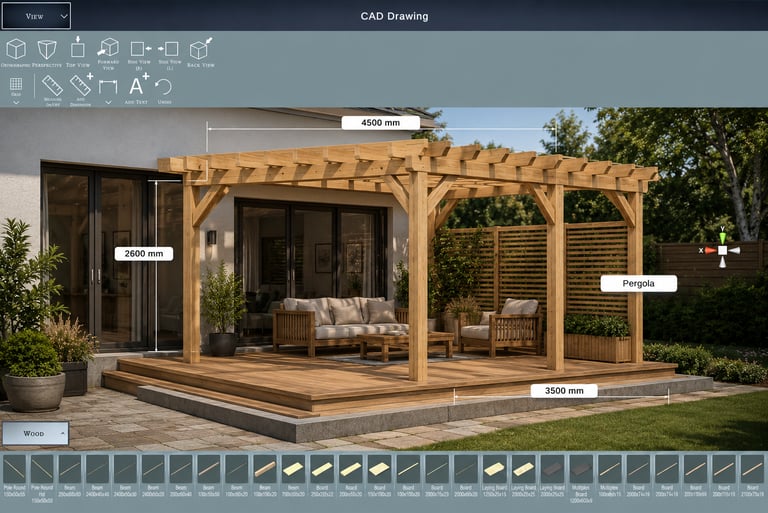
Design support posts, beams, rafters, and roofing systems with precise measurements.
Timber Frame Houses
Plan complete structural frameworks, including load-bearing walls, floor systems, and roof trusses.
Outdoor Decks
Visualize deck layouts, staircases, railings, and support structures before construction begins.
Custom Furniture
Design tables, cabinets, shelves, and storage systems while ensuring every component fits perfectly.
Designing Wooden Structures on a Tablet
Mobile CAD software has evolved significantly in recent years. Instead of carrying laptops or paper plans to a job site, builders can now access and modify designs directly on a tablet.
A typical workflow includes:
Creating the basic structure
Adding wooden beams and framing components
Defining dimensions and material sizes
Reviewing the design in 2D and 3D
Generating construction drawings
Creating a material or parts list
This streamlined process saves time and reduces planning errors.
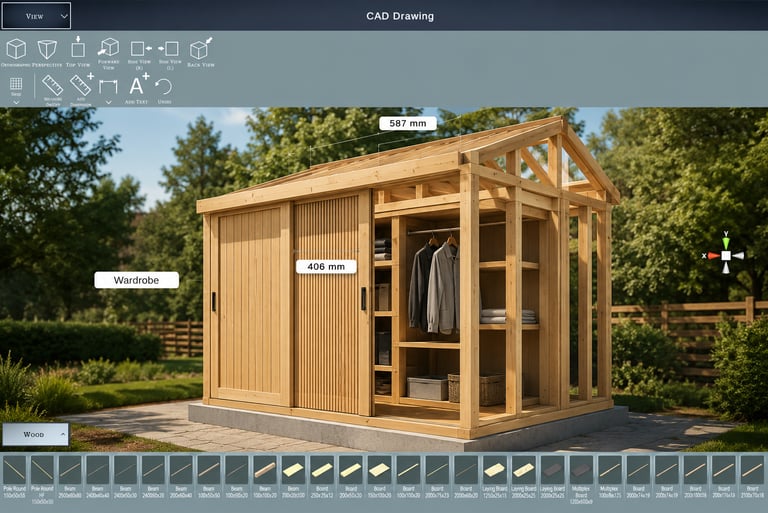
Visualizing Structural Components
One of the biggest advantages of modern CAD tools is the ability to visualize timber structures before construction begins.
Users can:
View individual beams and framing members
Check dimensions and clearances
Identify design conflicts early
Experiment with different layouts and configurations
This level of visualization helps improve design quality and construction accuracy.
Generate Material Lists Automatically
Material estimation is often one of the most time-consuming parts of timber construction planning.
Modern CAD applications can help by generating parts lists that include:
Beam lengths
Structural components
Quantities
Material specifications
This simplifies purchasing and helps reduce material waste.
From Concept to Construction
Whether you're building a small garden structure or planning a complete timber frame building, digital planning tools can significantly improve efficiency.
Instead of relying on hand-drawn sketches, modern CAD software enables builders to create professional construction plans directly from a mobile device.
With accurate dimensions, reusable structural components, and automatic parts lists, today's mobile design tools make timber construction planning more accessible than ever before.
Design Wooden Structures with CAD Drawing Designer
CAD Drawing Designer allows users to create detailed technical drawings and timber construction plans directly on their mobile devices.
Features include:
Precise CAD drawing tools
Structural beam components
Custom dimensions and measurements
Material and parts list generation
2D and 3D project visualization
Mobile workflow for construction planning
Whether you're a professional builder, architect, engineer, or DIY enthusiast, CAD Drawing Designer helps transform timber construction ideas into buildable projects.
Ready to Design Your Own Timber Construction Projects?
Whether you're planning a pergola, garden shed, timber frame structure, or custom woodworking project, CAD Drawing Designer helps you create precise construction drawings directly on your mobile device.
👉 Start designing wooden structures today with CAD Drawing Designer
Turn Your Timber Construction Ideas Into Reality
Stop sketching on paper and start creating professional timber construction drawings on your tablet or smartphone.